Market Research · Product Design · UX
Revolutionizing CX:a clearer research platform — and an AI companion that turns weeks of synthesis into hours
Overview
insight — an end-to-end market-research platform I designed from the inside. As a market researcher, I'd lived the pain of slow, clunky, siloed tools, so I built the workflow I wished I had: guided surveys and dashboards, plus Go-Go AI — an assistant that does the slow part (reading, clustering, citing) so teams decide faster.
My role
Sole UX Researcher & Product Designer — and the researcher it was built for. Design strategy, UI, UX & market research.
Team
Timeline
2024
The problem
Market researchers sit on a goldmine of feedback — and the tools make it painful to use.
I'd felt this firsthand. The platforms I worked in were dated and rigid, and the research around them took weeks of manual work that lived in silos — so by the time an insight was ready, the decision had usually already been made.
A clunky platform
Non-intuitive screens and rigid survey tools made simple tasks take far more effort than they should.
Research that took weeks
Synthesizing transcripts, clustering themes, and writing up personas was slow, manual, and easy to put off.
Insights stuck in silos
Findings were scattered across docs and tools — hard to revisit, hard to share, and slow to reach a decision.
- Start at a blank, rigid survey builder
- Wait weeks for manual synthesis
- Findings scattered across docs & tabs — no source trail
- The insight lands after the decision
- Start from the research goal — the tool shapes the study
- Live analysis: themes & sentiment as data lands
- Every AI finding cited & traceable to its source
- Decision-ready report in one click
The approach
How I tackled it
Three research moves to pin down exactly where the experience broke — before designing anything.
Discovery interviews
Talked with CX researchers and account managers about a real day in the tool — where they hesitated, what they avoided, and the workarounds they'd quietly built.
Competitive & heuristic review
Benchmarked modern survey and analytics tools against the legacy platform and audited the core flows — surfacing the biggest usability gaps.
Usability testing
Watched people attempt real tasks. Opinions became evidence: users lost track of their data, struggled to build a poll, and had nowhere to orient.
Across all three, the same theme kept surfacing: the product was capable, but every task asked for too much effort — and the research never kept up with the questions.
From research to decisions
Three principles I designed against
Each one came straight out of what I watched people struggle with — and each shaped a specific part of the product.
Start from intent, not a blank form
People froze at empty builders and rigid survey tools. So every flow now opens with the research goal — and the product shapes the study around it.
Kill the wait
By the time synthesis was done, the decision had moved on. So analysis runs live — themes and sentiment form as responses land, not weeks later.
Never lose the source
Findings scattered across docs with no trail back. So every AI finding stays cited, and personas carry the evidence behind them.
The solution
One guided flow, end to end
I rebuilt the journey so a researcher can go from a fuzzy goal to a shareable report without ever feeling lost.
01
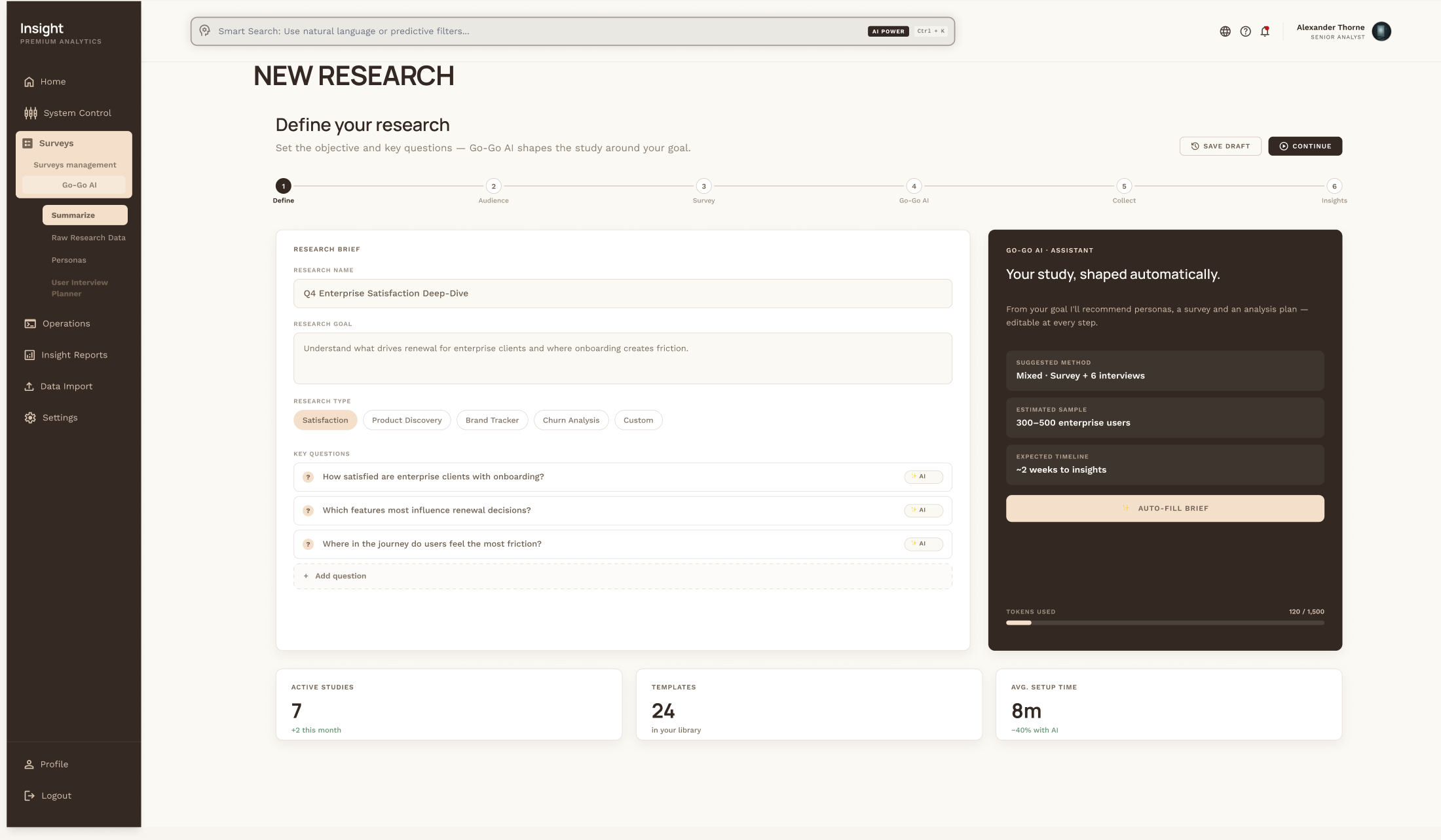
Define the study
It starts with the goal, not a blank form. You write the research question and pick a type; Go-Go AI suggests the method, sample size, and timeline — shaping the whole study around your intent.
02
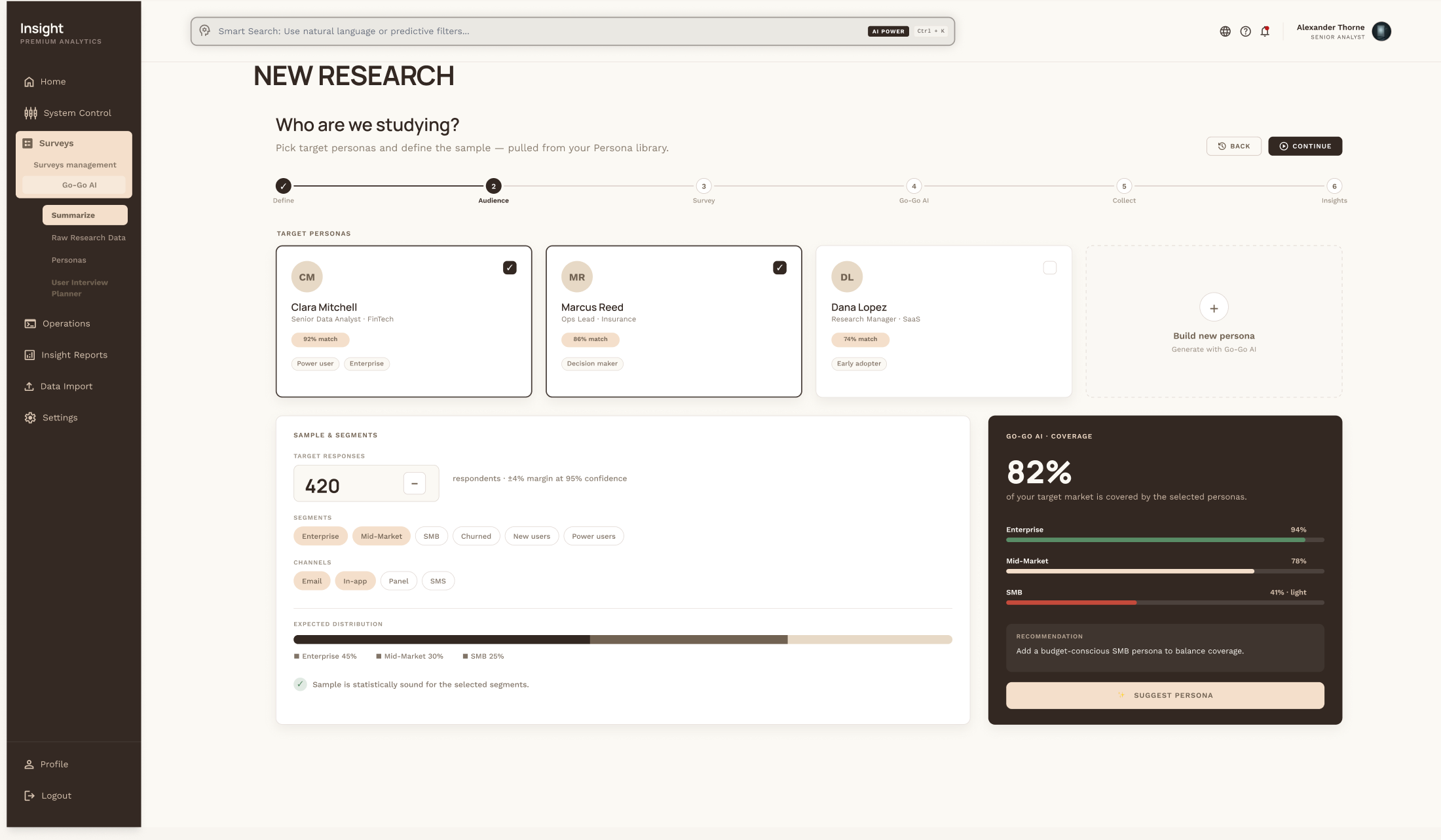
Know who you're studying
Personas and sample live in one view. Pick target personas, define the sample, and see audience coverage in real time — so you know your study actually represents the people you care about.
03
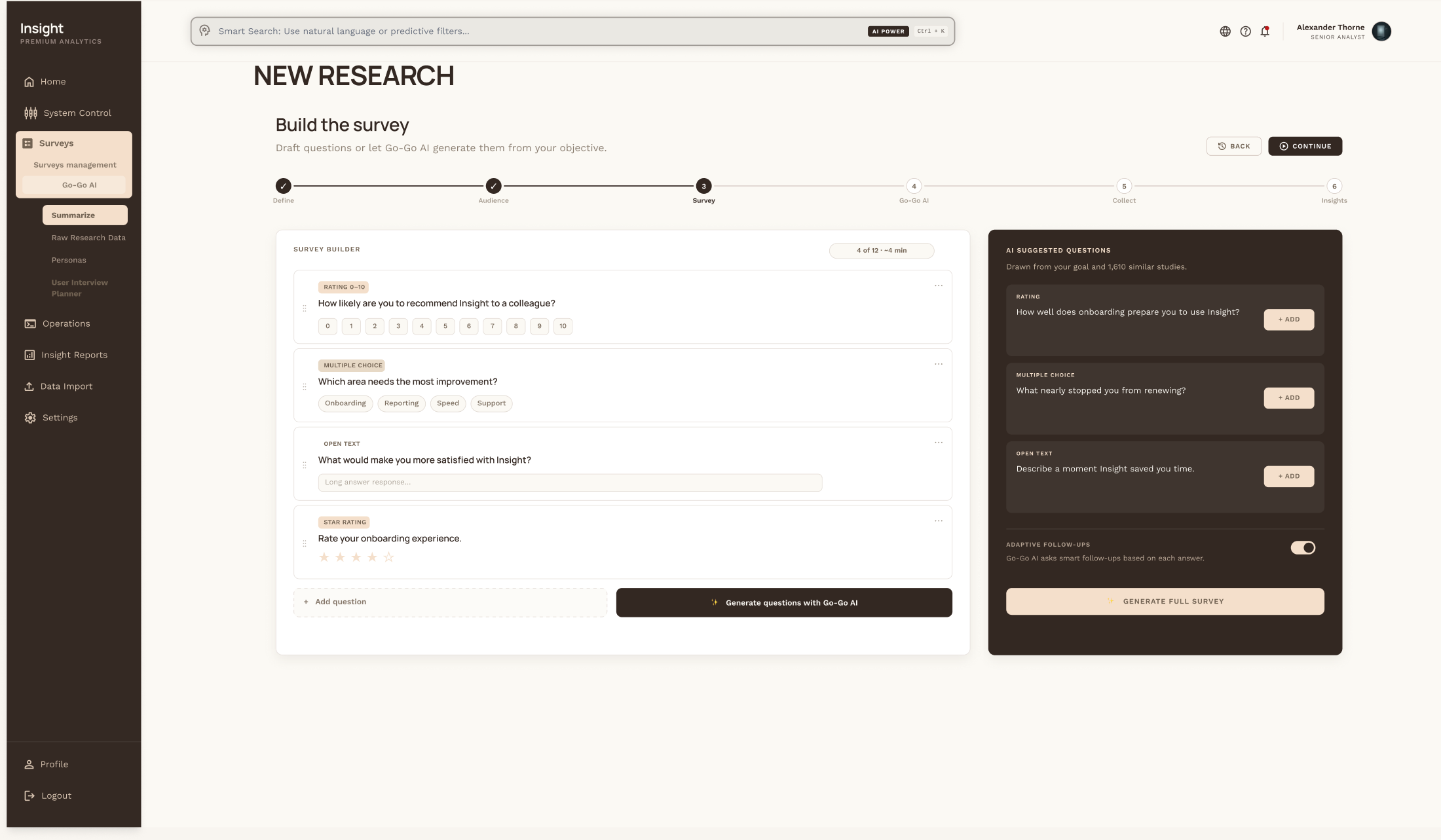
Build the survey — AI-assisted
A guided builder turns a blank page into a finished survey fast. An AI assistant drafts question sets and suggests benchmarked KPIs, while a drag-and-drop canvas and question bank keep complex design feeling simple.
04
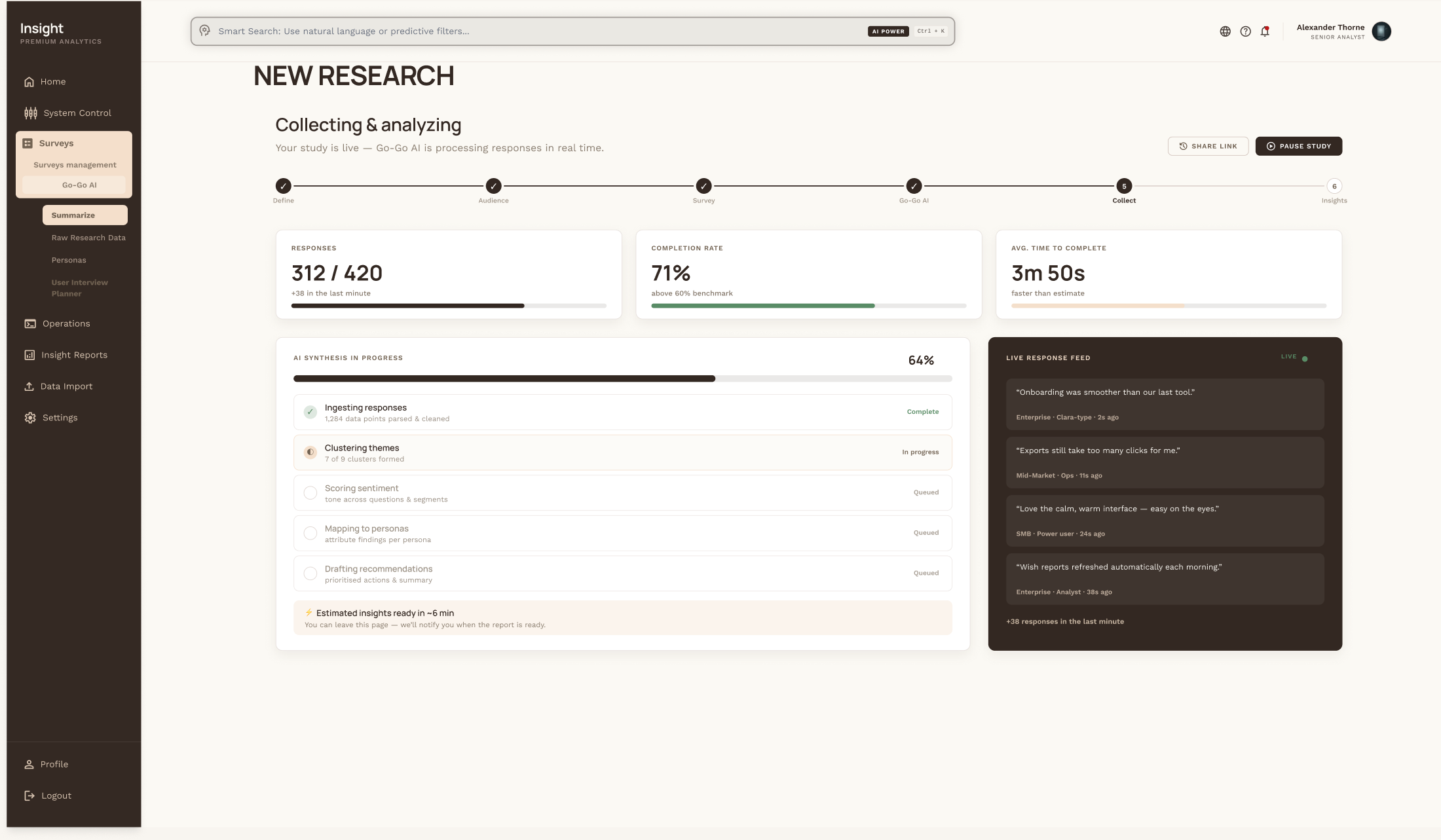
Collect & analyse — live
As responses arrive, the study analyses itself: completion and timing update in real time, a live feed streams incoming answers, and Go-Go AI clusters themes and scores sentiment as it reads — no waiting for the field to close.
05
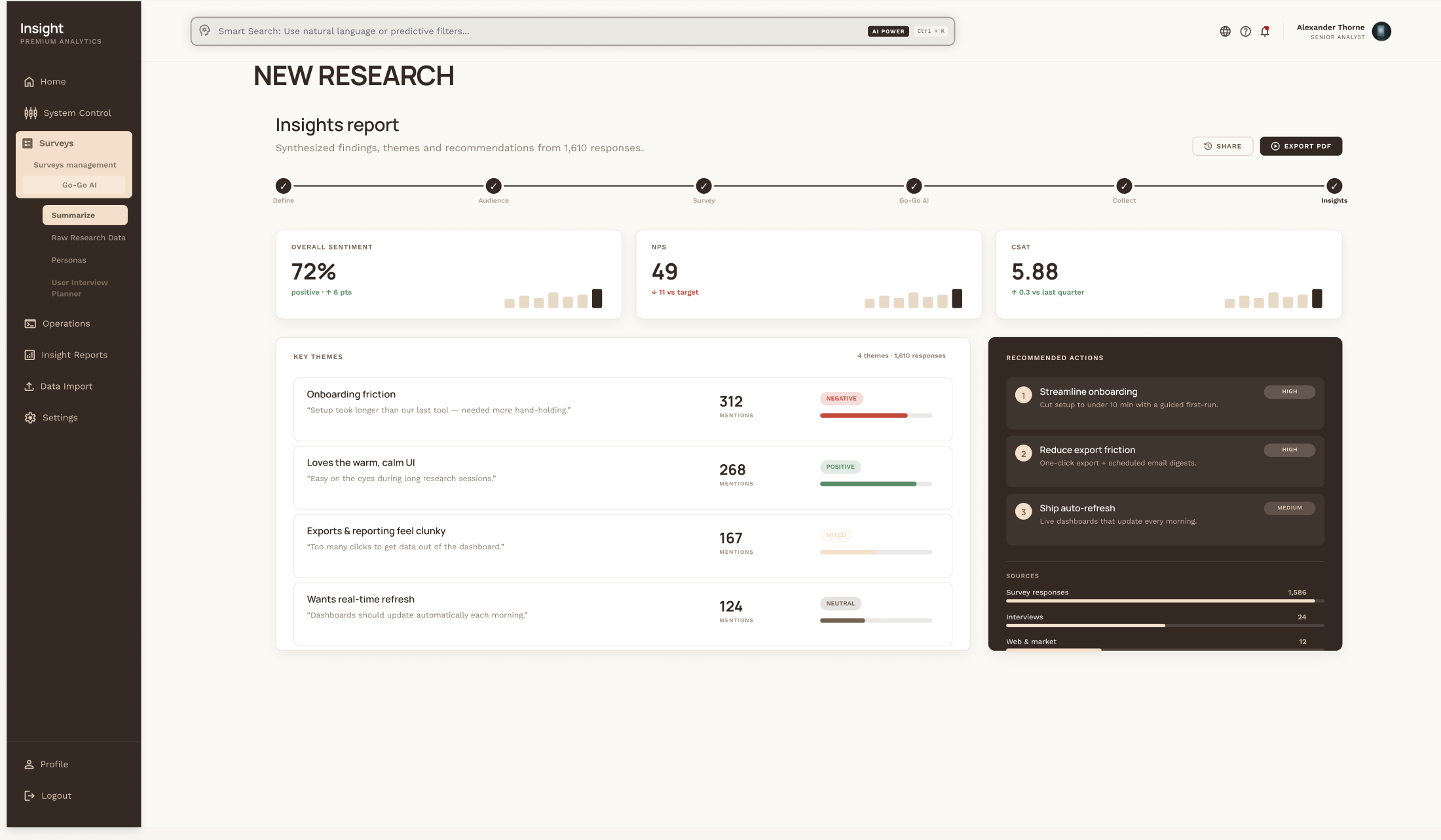
A report that's ready to act on
Headline KPIs with deltas, the strongest findings, and an AI-written executive summary land in one place — so the insight is decision-ready and a single click from your stakeholders.
The big bet
Go-Go AI — from an open question to a cited insight
The friction: desk research before a study is slow and scattered — analysts open 40 tabs, paste links into a doc, and lose the trail of where each finding came from. Here's how Go-Go AI's web-research flow turns that into a guided, cited workflow.
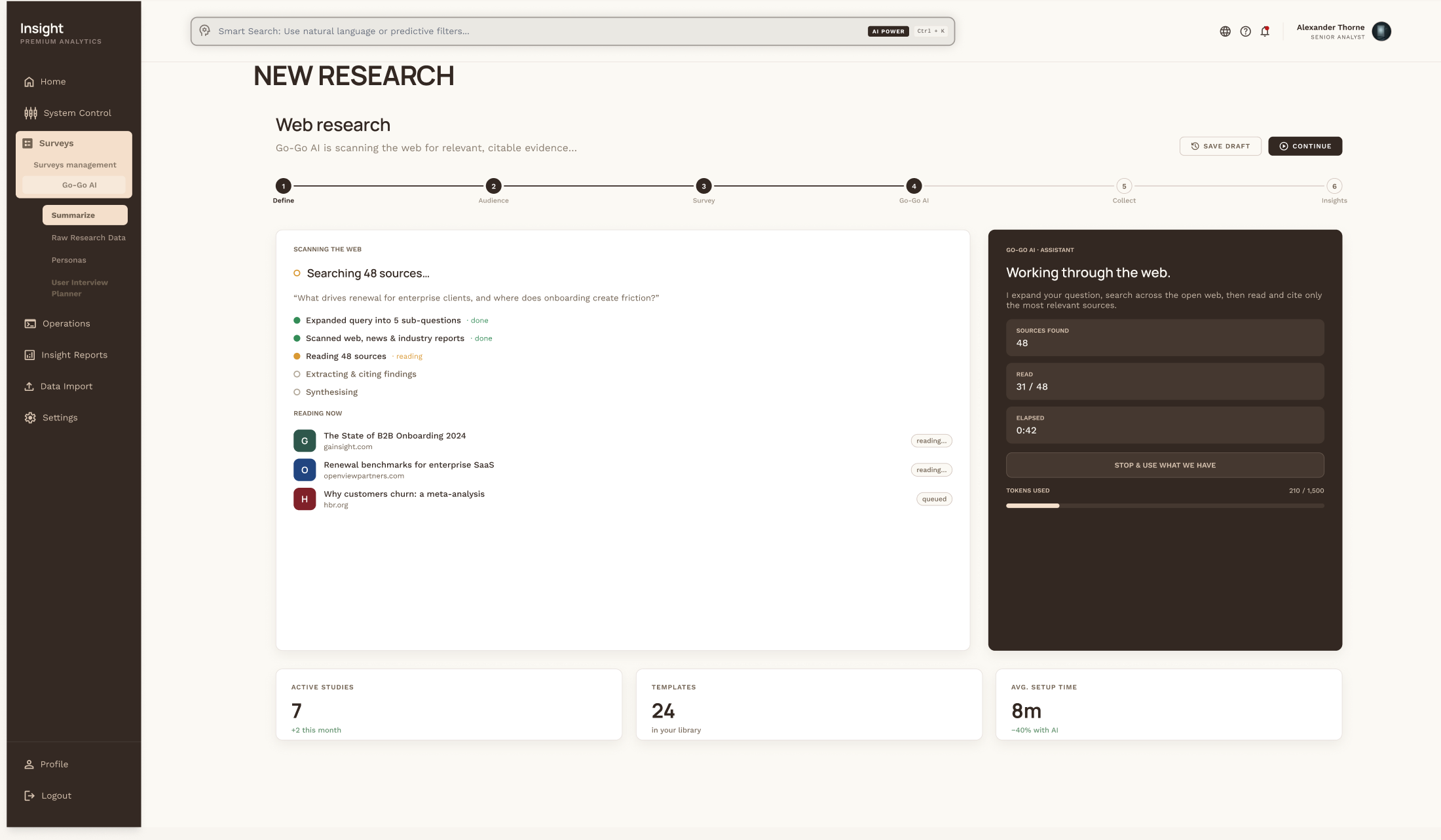
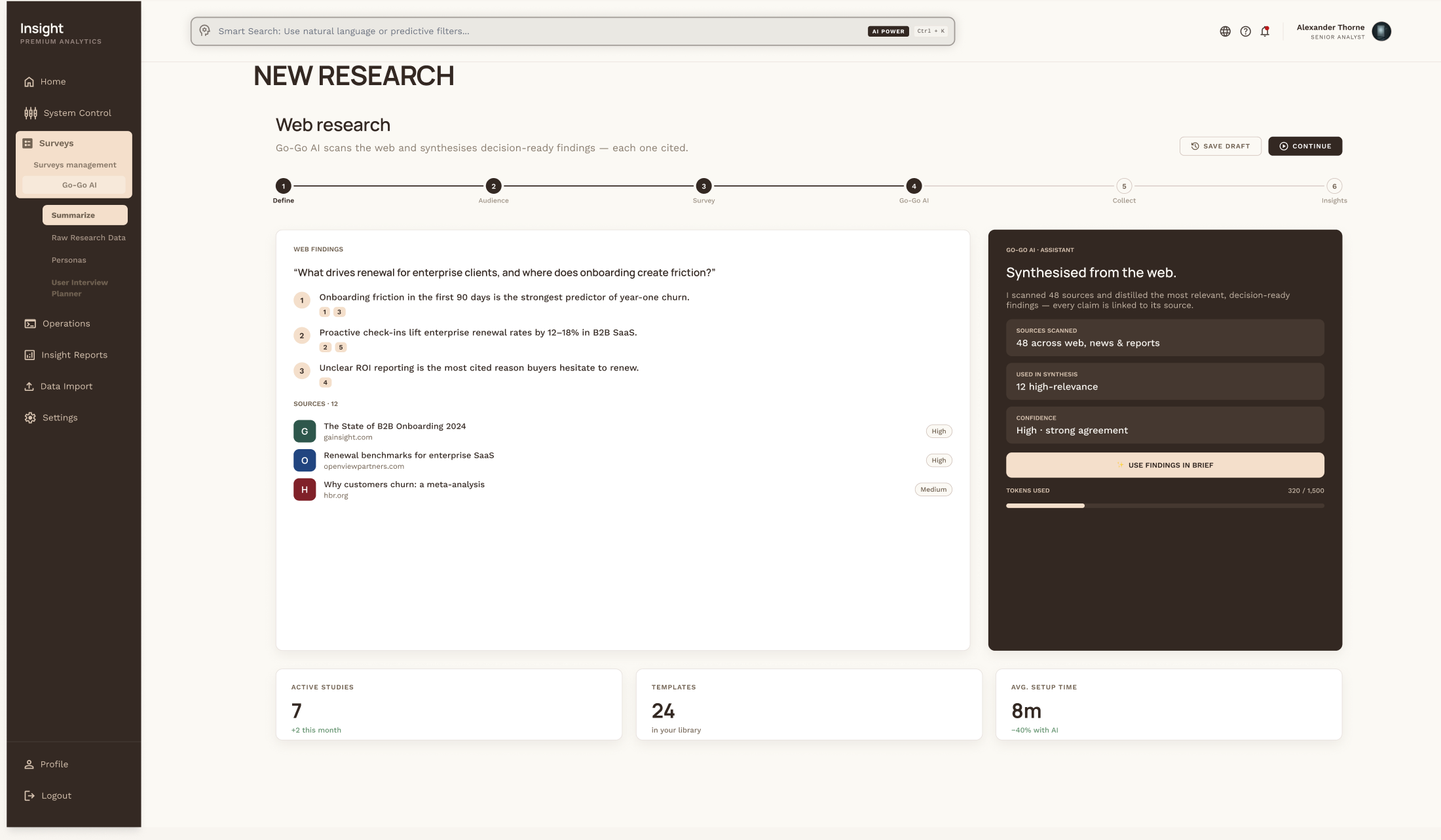
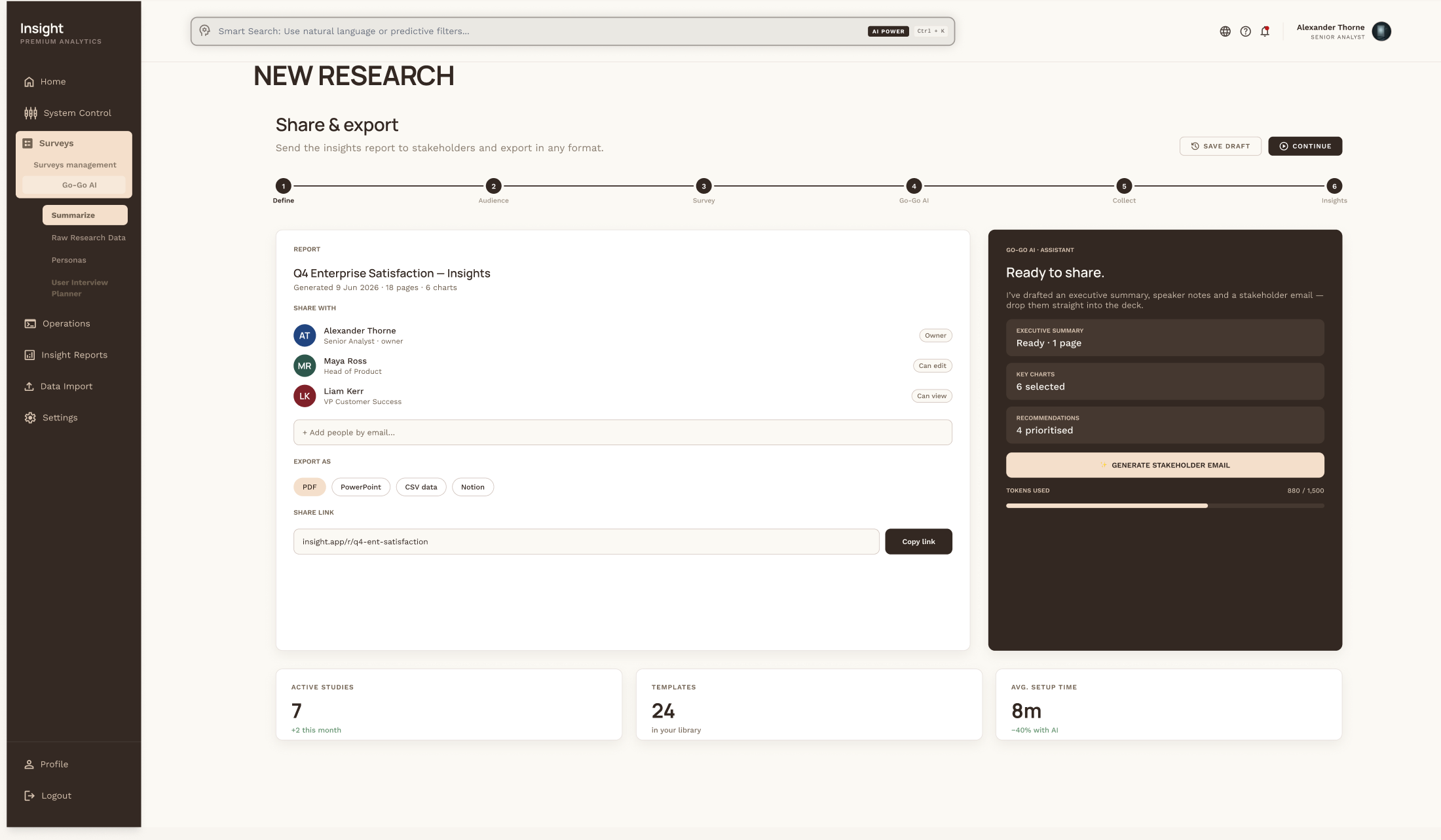
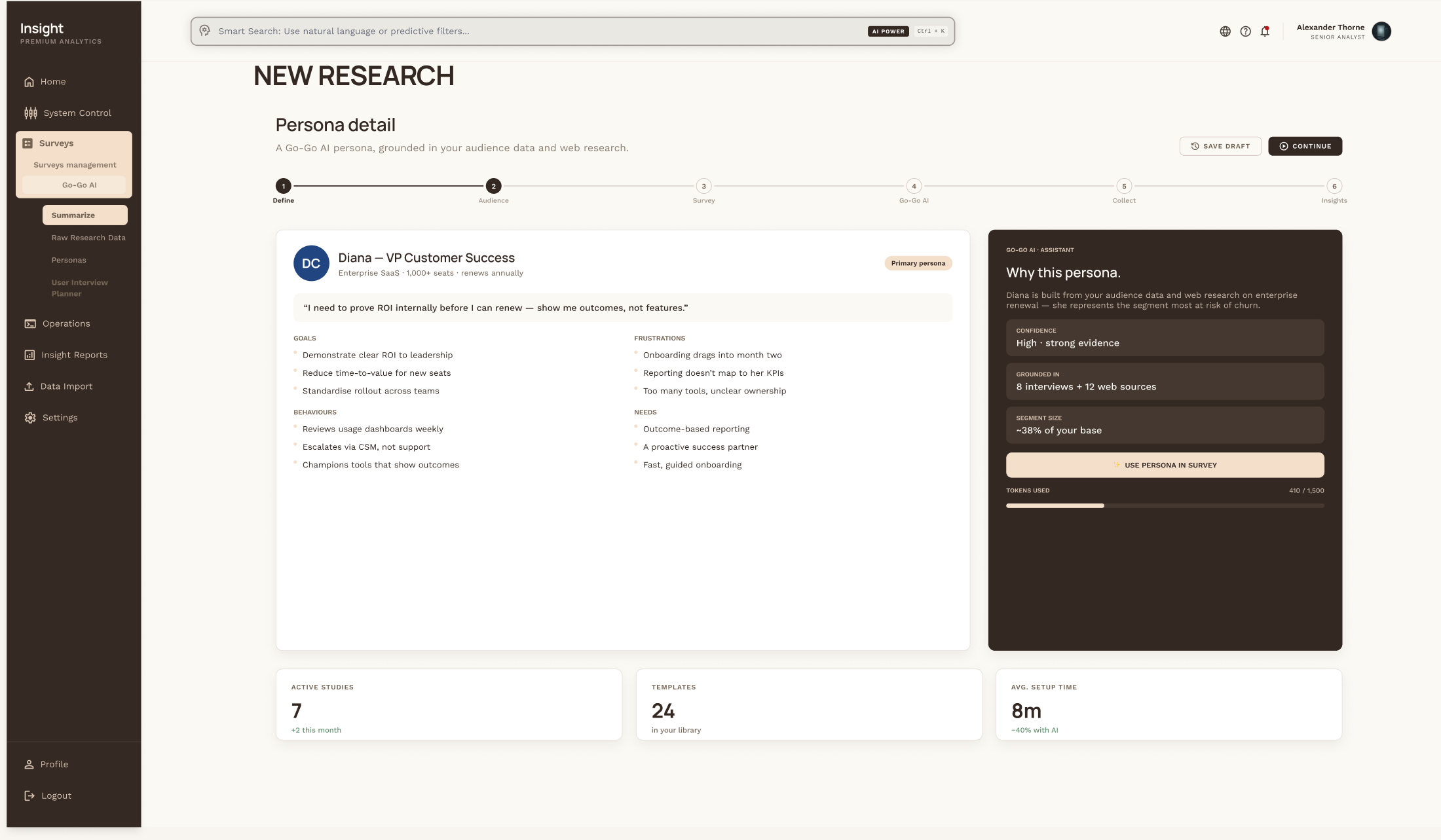
The outcome: hours of manual desk research compressed into a guided, evidence-backed flow — every insight traceable to its source.
Designing AI people actually trust
Always cited
Every finding links back to its source. No black box — you can check the AI's work in a click.
Shows its confidence
Personas and findings carry a confidence level — the AI is honest about what it's sure of and what it isn't.
Suggests, never decides
Go-Go AI drafts and recommends; the researcher makes every call. Human-in-the-loop by design.
The impact
What changed
The qualitative cycle — summarize, cluster, personas — collapses into a single guided session.
Surveys, dashboards, clients, and research share one workspace instead of scattered tabs and docs.
Smart, AI-assisted flows remove the busywork between “new idea” and “study in the field.”
Directional outcomes from 8 discovery interviews, a 6-competitor audit, and task-based usability testing — internal benchmarks, not production analytics.
“It made a complex system feel simple — and turned our research into decisions we could actually act on.”
— Pilot user, CX research team
Lessons learned
My first instinct was to let the AI do more — automate the study end to end. Testing pushed back hard: people didn't want a black box, they wanted a fast assistant they could check. The real win wasn't more automation — it was making the AI's work visible, cited, and easy to overrule. That's the version people trusted.
Keep exploring
More case studies
.png)
Navigating Municipal Services
Cutting friction across payments, parking, and services on a city portal.
Read case study →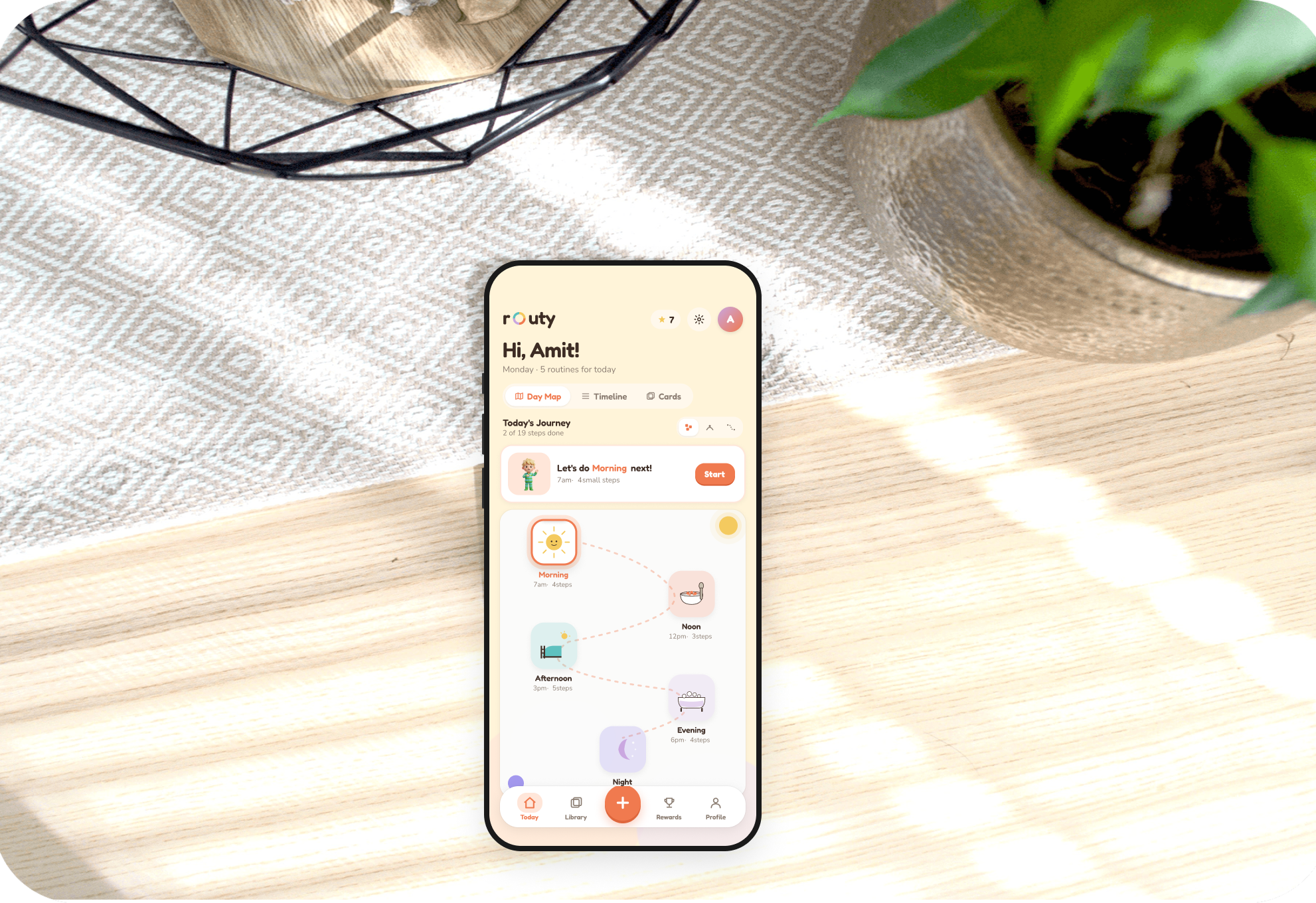
Routine Builder
An accessible app helping autistic individuals build and keep daily routines.
Read case study →.png)
MyCookBook
A personal recipe collection that centralizes, organizes, and shares dishes.
Read case study →